
I once wrote that you could really do well in managing a remote server with VS Code. It’s really all there, handles remote connections, has a text editor, lint tools, we can add extensions – it’s great.
And now, we have agents! You can load up Claude Code, connect to your remote server, and hack away, fix config files – all kinds of stuff. I like using it to remote into my Raspberry Pi 4 and updating the Magic Mirror configuration and tweaks to the source code to fit my needs. It’s likewise great in helping manage various Docker setups, there are container tools and everything you need.
But the software it totally garbage.
It will crash your server, making it quickly OOM, you can’t control it and it will force you to lose your work.
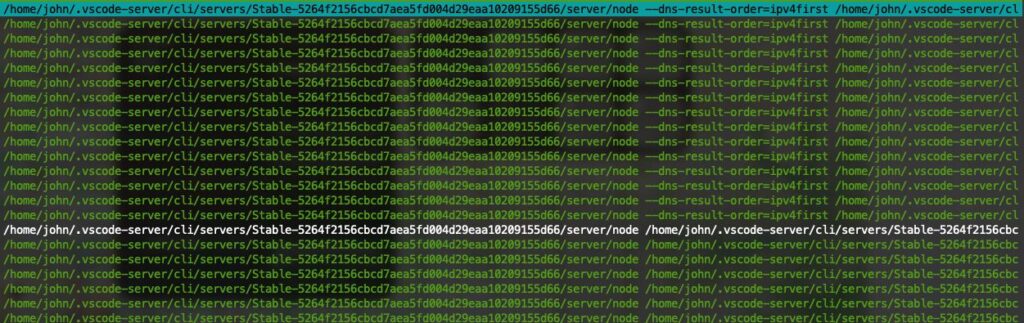
Today I had a pretty simple task, easily handed off to the AI agent, Claude Code. Literally the only extension I’m running on the host. I ask it to update the code and got busy doing other things.
Soon I was getting downtime notifications, my sites were going offline. Server wasn’t responding, nothing. Happens all the time, not the agent, but VS Code itself OOM’d the server. Sometimes it’s node.js, and have moved from REACT to VITE to eliminate the build overhead, that’s just the consequence of shared hosting.
This time, it wasn’t that. Just updating files, running the extension and I guess the hundred processes the server spawned. That’s cool, didn’t ask for that or set it, doesn’t happen other times – how can you expect this might happen?
When I got back to my machine, it was disconnected from the server – it actually cycled the entire window. I lost everything.
This is why VS CODE IS GARBAGE SOFTWARE: When the connection to the server fails, and you have active AI agent work/chats, when you have open files – the window just reloads sometimes, and it’s gone.
Sometimes, it’ll just disconnect, what it should do – but also, it will hammer your server retrying to connect despite it being OOM and trying to recover. When that fails, it gives up and not just connecting, which is what human centric design would dictate – no it for some reason closes the workspace, files and any open commands/chats/agent work – including expensive pending file writes (AI has spent tons of tokens solving and is now prepared to write the code – and we’ve lost the agent…).
This is just unacceptable. If there’s a setting for this –why? And why do I have to change it, the default says this: if the server has a problem we’re going to fuck up your entire workspace, because fuck you.






I’m really curious about the comment on managing remote servers with VS Code. It sounds like there are some powerful extensions that make it easier!
I’m intrigued by the mention of agents in VS Code! It sounds like this could really enhance our development workflow. Have you had a chance to try connecting with Claude Code yet?
I’m interested in your perspective on VS Code as garbage software! You mentioned having tools like linting and extensions that were once a strong point. What specific issues are you encountering now that led to this shift in opinion?
I’m really interested in your thoughts about VS Code’s remote connection capabilities! It seems like that could either be a game-changer or a source of frustration. What has your experience been like with remote projects lately?
I’m really intrigued by your take on VS Code! The idea of integrating agents like Claude Code sounds promising. How do you find the performance and usability compared to other options you’ve tried? REPLY
I’m really interested in your thoughts about the extensions available for VS Code! You mentioned they used to be a strong point in managing tasks effectively. Are there specific extensions you’ve found that still stand out, or have they become less reliable for your workflow? REPLY